
1. Who Sees the My Collection Page
In the left sidebar under Students, click My Collection. This is your personal, self-service view: it shows only the payments you collected, never the whole organization's money.
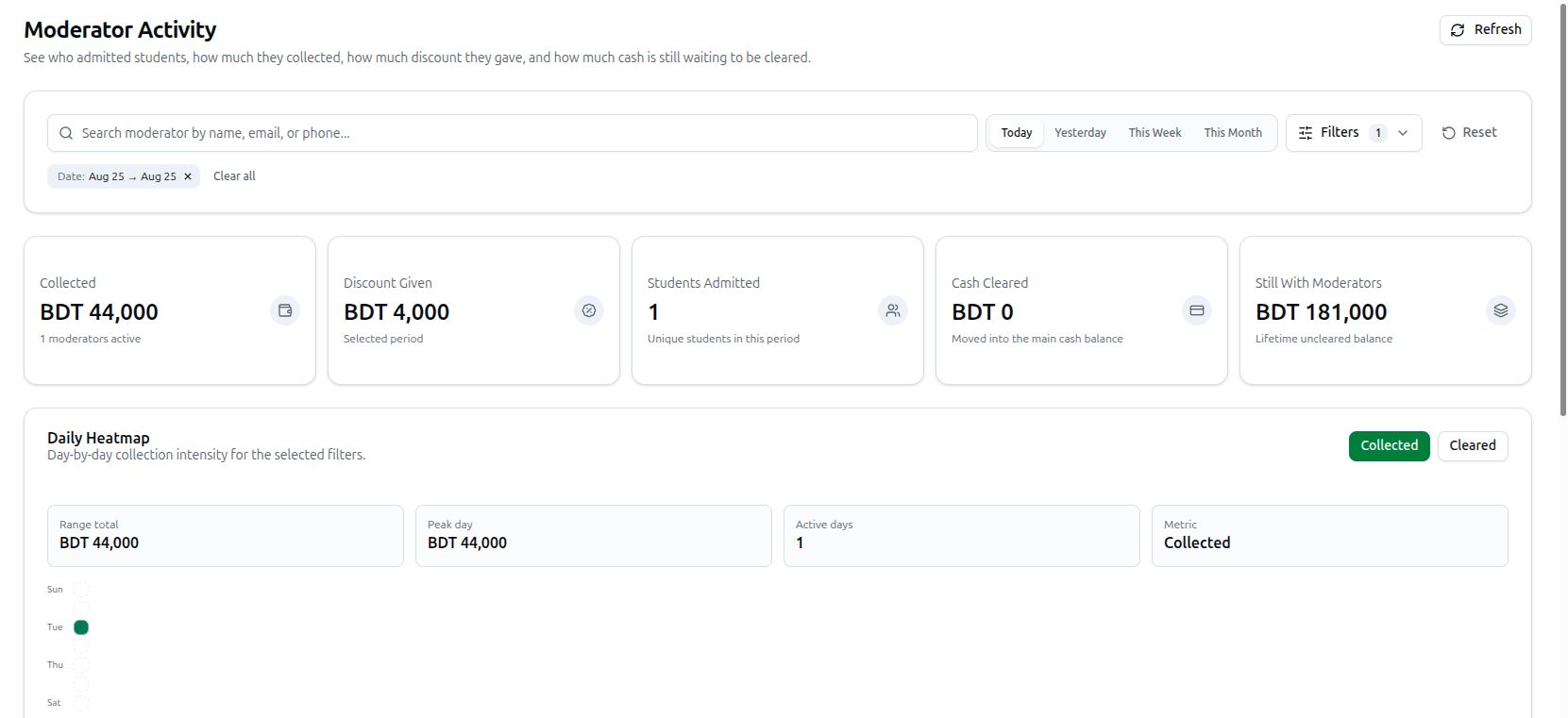
- Moderators, teachers and staff: the link appears in your sidebar as long as your account has access to the payments area.
- Organization owners: the link is hidden for you. Owners use Moderator Activity (also under Students) instead, which shows every collector in one place. If you open the page anyway, you will only see the message "Organization owners use the full Moderator Activity page instead of the self collection view."
Use the Refresh button in the top right at any time to reload the figures.
2. Choosing the Period
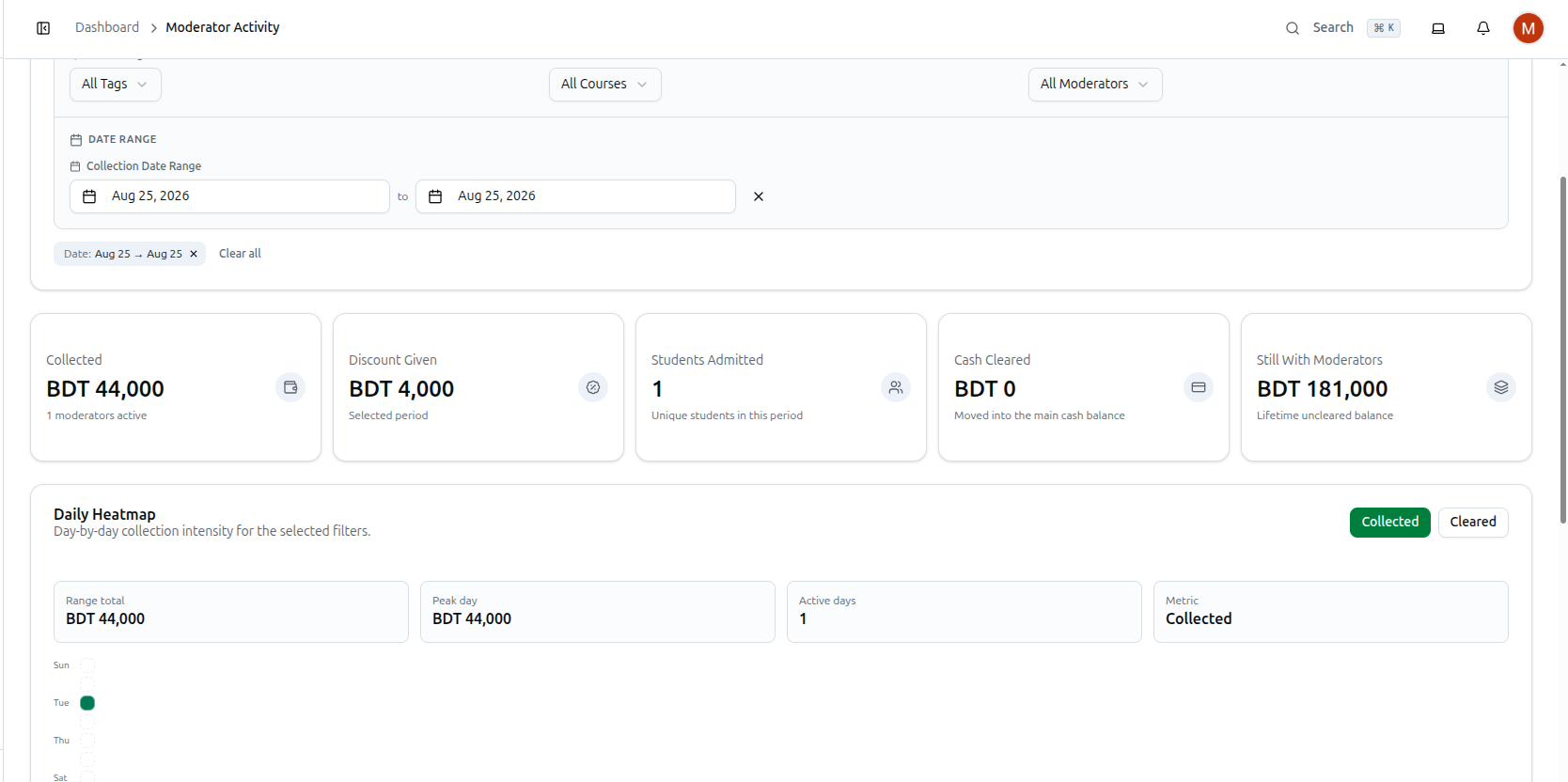
The page opens on Today by default. Two controls decide which days are counted:
- Quick period buttons: Today, Yesterday, This Week and This Month. The active one stays highlighted.
- Custom range: the row below has two date buttons, Start date and End date, and each one opens a small calendar to pick from. Choosing your own dates removes the highlight from the quick buttons; the clear button beside the dates resets the range back to Today.
If nothing was collected in the chosen window, the page shows "No collection data found for the current period."
3. Reading Your Summary Totals
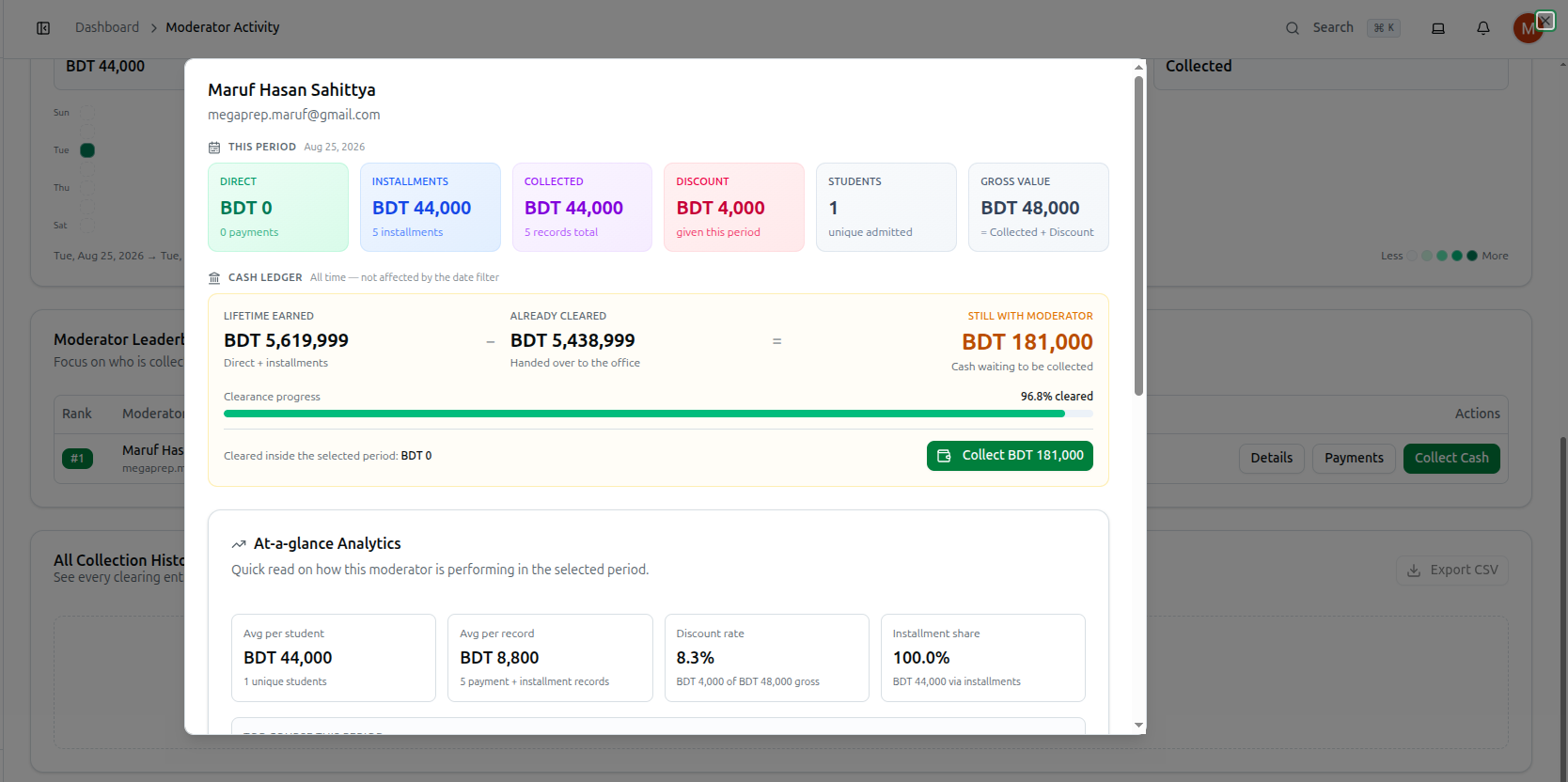
This period (this row follows the date filter, and the chosen range is printed beside the heading)
- Direct: money from one-time, fully paid payments you processed, with the number of payments underneath.
- Installments: money from installments you marked as paid, with the installment count underneath.
- Collected: Direct plus Installments — your total for the period, with the combined record count.
- Discount: the total discount given on those payments.
- Students: how many unique students were admitted through your payments.
- Gross value: Collected + Discount — the full value before discounts.
Cash ledger (all time — not affected by the date filter)
This is the handover section, and it answers a different question: how much of your collected cash is still in your hands.
- Lifetime earned: everything you have ever collected (direct plus installments).
- Already cleared: how much of it you have handed over to the office.
- The third figure is the difference, and its label changes with your situation: Still with moderator (cash waiting to be collected), Fully settled (nothing left to collect), or Over-cleared (more was cleared than collected — the owner has to settle it to reset).
- Clearance progress: a bar showing what percentage of your lifetime collection has been cleared.
- At the bottom, Cleared inside the selected period shows how much was handed over within the dates you picked.
A Collect Cash button on the right lets you record a handover yourself: it opens a dialog confirming Lifetime earned, Already cleared and Remaining, an Amount To Collect field pre-filled with the outstanding balance, an optional Note, and a Recent clearings list of your last few handovers so you don't record the same cash twice.
4. Course Breakdown
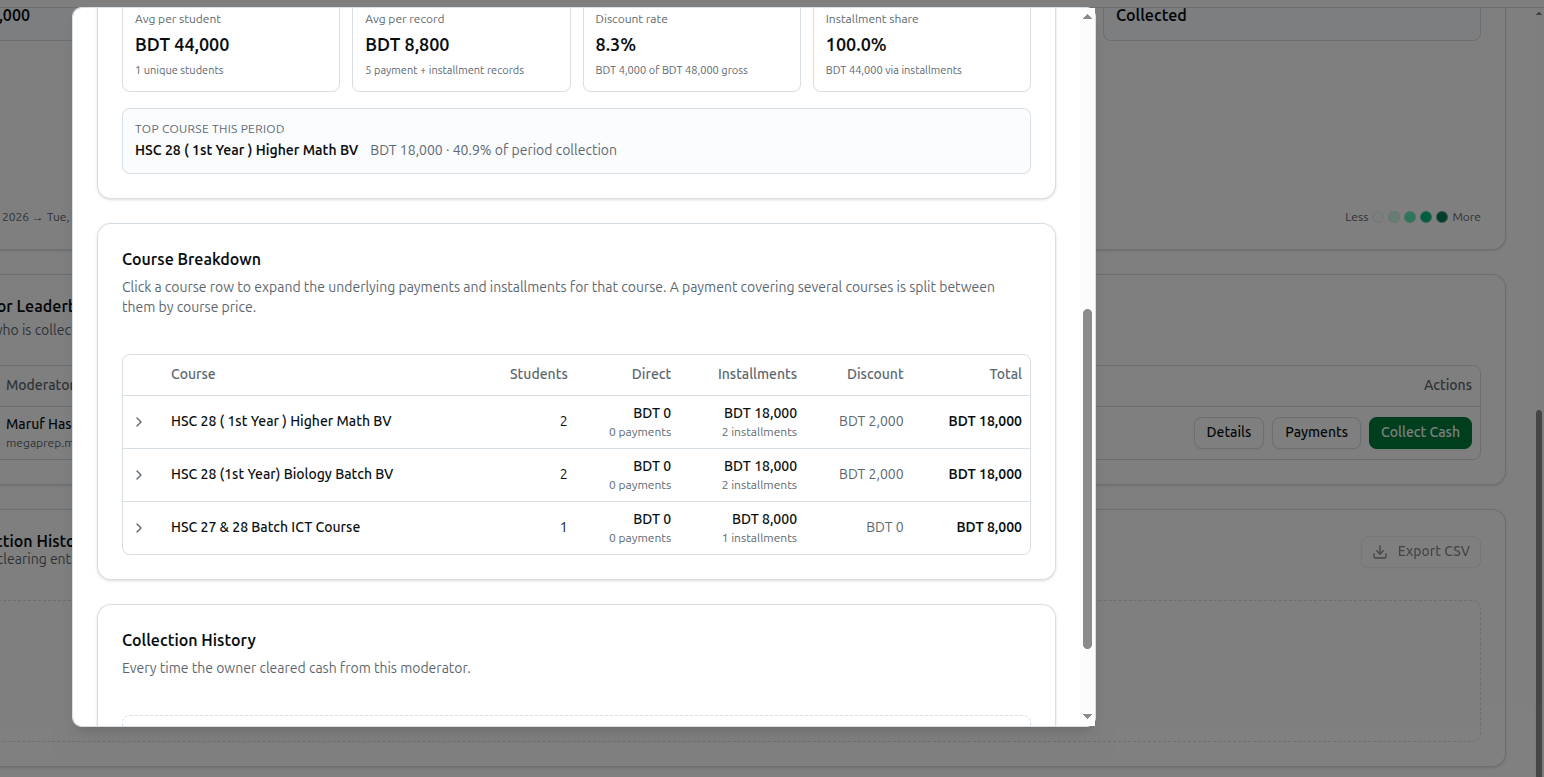
The Course Breakdown table shows which courses your collection came from during the selected period. Its columns are:
- Course: the course name.
- Students: unique students for that course.
- Direct: direct payment amount, with the payment count below it.
- Installments: installment amount, with the installment count below it.
- Discount: discount given on that course.
- Total: the course's full contribution.
Click any course row with an arrow beside it to expand it. The panel splits into Direct payments and Installments, each listing the student's name, their email or phone, the date and time, the amount, and any discount applied. Installment entries also show the installment number (for example, #2). If no course matched, you will see "No course breakdown found for this selection."
5. Clearing History
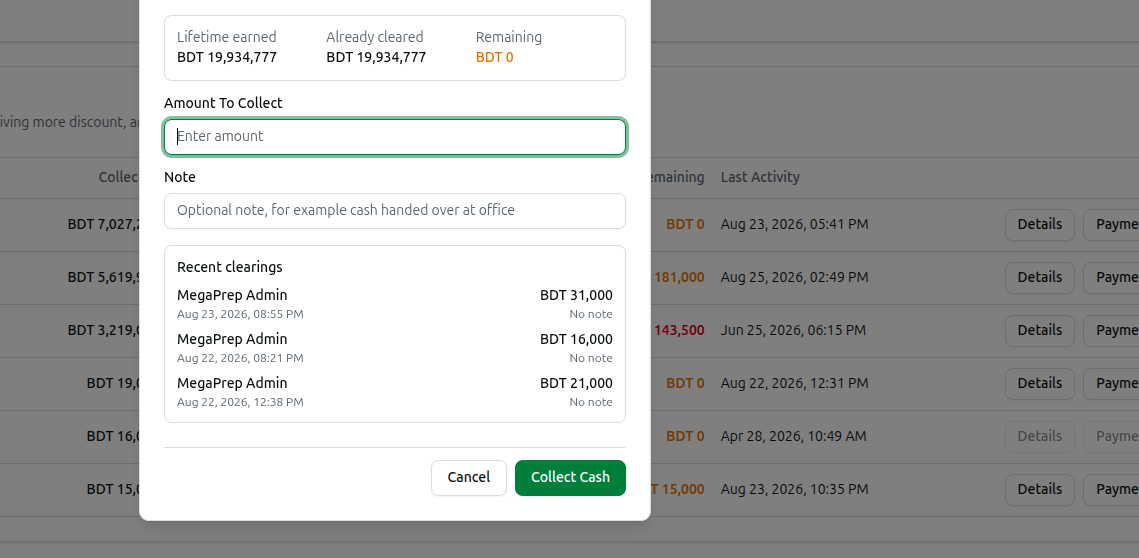
The Clearing History table records every time the owner collected cash from your balance inside the selected date range:
- Date: when the handover was recorded.
- Amount: how much was taken.
- Collected By: the name of the person who collected it.
- Note: any remark the owner wrote, or a dash if there was none.
If nothing was handed over inside the chosen dates, this section reads "No clearing history yet." Use it to check that every amount you handed over was actually entered against your name.